

Robot Listing Practice: Import CSV Fields as Text
2026-11-02
Robot Listing Practice: Import CSV Fields as Text
CSV fields can look like ordinary listing text while a spreadsheet interprets some content as formulas. For a robot marketplace reviewer, the first practical question is therefore how an export will be read, before considering what its rows say about equipment. This article proposes a controlled reading lesson with trusted instructor-prepared material. It supplies no attack payload, opens no marketplace file, and makes no finding about a real seller or export.
Define a reading exercise rather than an automatic open action
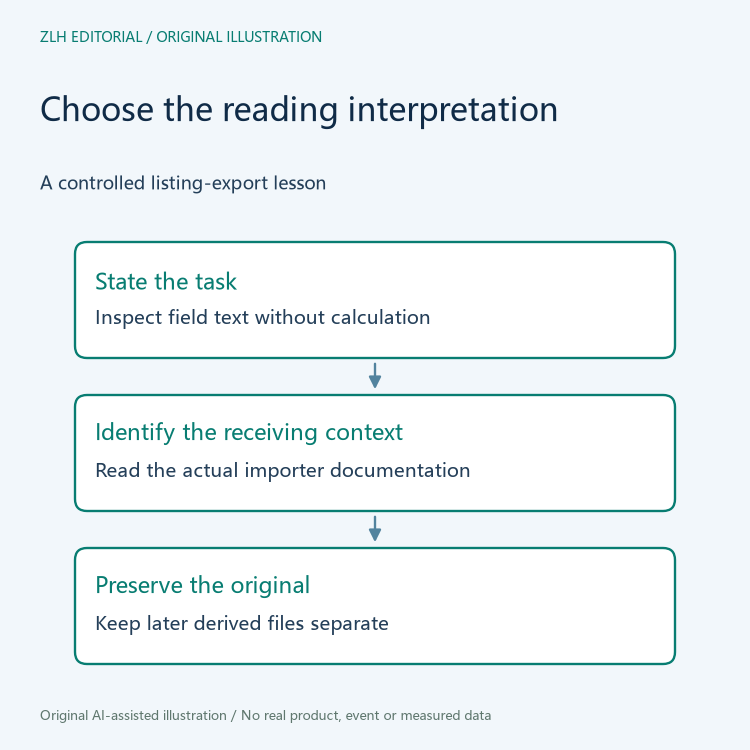
Start with the purpose: the learner wants to inspect field text. That is different from calculating values or executing anything represented in the file. State this purpose in the teaching note so the import method can be assessed against it. A convenient double-click is not a substitute for understanding the receiving application’s interpretation.
Use only material whose preparation and ownership the instructor can explain. A real marketplace download may contain untrusted input, and the classroom plan should not require opening it merely to demonstrate a point. The exercise can remain a review of import choices when suitable prepared material is unavailable.
Keep the original copy separate from any working presentation. If a later authorized class performs an import, the original should remain available to explain what was supplied. Saving an interpreted spreadsheet over the only source would make later questions harder to answer.
Explain why CSV syntax does not decide every cell meaning
OWASP’s CSV Injection guidance describes risks arising when spreadsheet software interprets untrusted CSV content as formulas. Its relevance here is the distinction between text stored in an export and behavior chosen by a receiving program. A file extension alone does not settle that behavior.
The learner should not conclude that ordinary field quoting is a universal defense across applications and subsequent saves. The OWASP guidance discusses pitfalls in such assumptions. This article gives no general sanitization recipe and does not claim that one import option makes an arbitrary file safe.
For the prepared lesson, explain the intended interpretation of each relevant column. A listing identifier, seller description, and other supplied text should not be reclassified solely because the spreadsheet offers a convenient default. The point is to understand the import decision before trusting the rendered view.
Read the importer’s documented controls in their own context
The LibreOffice Text Import documentation describes an Evaluate formulas option and column-type choices including Text. These controls belong to that documented importer. Their names and behavior should not be assumed to describe every spreadsheet application or every historical release.
In a later authorized exercise, confirm the actual application and inspect its documented controls before importing the prepared sample. Ask whether the selected interpretation matches the stated reading task. Do not enable formula evaluation merely to make the demonstration resemble a calculated workbook.
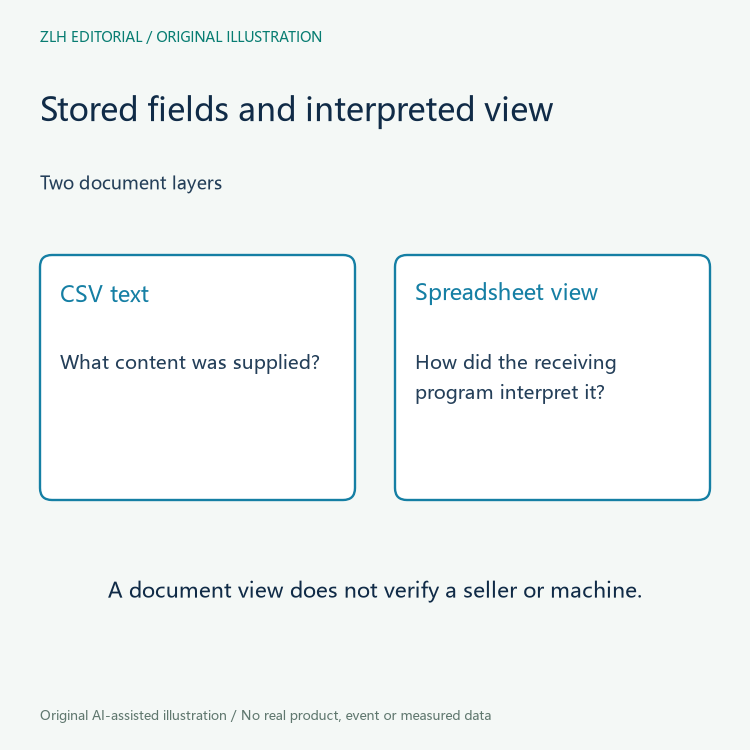
A preview is useful for asking how fields are separated and represented. The instructor can ask learners to explain a column choice before confirming it, so a default is not mistaken for an explicit reading decision. It does not establish that the listing is accurate or that the equipment exists. Keep interpretation of the document distinct from verification of commercial claims about its contents.
Review what a later save could change
An imported view and a newly saved file are separate artifacts. If a class later studies a saved copy, identify how it was produced and which application interpreted the original. Do not describe the new file as unchanged source text without examining that question.
The OWASP discussion specifically warns that saving and reopening can affect assumptions about CSV handling. Treat this as a reason to define the actual review path, not as a claim that every application behaves identically. The proposed lesson does not produce or reopen any file.
Ask another learner whether they can distinguish the original export, the selected import interpretation, and a derived workbook. A note that calls all three the listing file is too imprecise to support a later discussion about what the reviewer actually read.
Keep the marketplace conclusion narrower than the import result
Even a correctly explained text-reading exercise would not establish ownership, condition, support availability, or any other equipment claim. Those questions need their own relevant evidence. The article teaches a document-handling distinction rather than a purchasing decision or a security certification.
A useful classroom summary records the reading purpose, the documented receiving context, the interpretation selected if any, and the limits of the observation. It should leave unknown outcomes unknown. Related discussion appears in our robot marketplace document section and the article directory. Both original diagrams contain no real export, seller data, formula payload, spreadsheet output, or tested security result.


